

Data Modernization: How to Move From Legacy Platforms to a Cloud Data Foundation

 Published:
 8 min read
 Share


Data Modernization: How to Move From Legacy Platforms to a Cloud Data Foundation
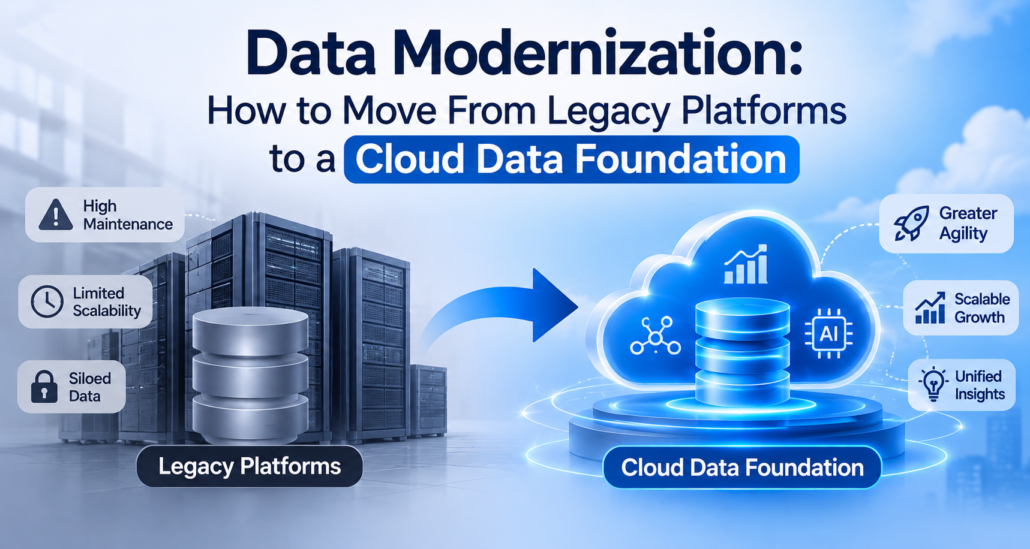
Data modernization is the process of moving an organization’s data, pipelines and analytics from aging or fragmented systems to a platform that can scale, be governed and support current analytics and AI. The move to the cloud is part of it, but not the whole of it. A legacy warehouse copied unchanged into a cloud account is still a legacy warehouse, only with a different invoice.
Organizations usually start this work for one of a few reasons: the old platform is expensive or at end of life, reports take too long to run, data is trapped in silos, or AI initiatives are stalling because the underlying data cannot be trusted or reached. The right approach depends on the reason. This guide covers the main migration approaches, a phased plan, the governance work that is often left late, and the risks that most often derail programs.
Signs you need to modernize
- Reports and models take hours to run, or fail at month end.
- Different teams report different numbers for the same metric.
- Adding a new data source takes weeks or months.
- Licensing, hardware or support costs are rising faster than value.
- Skills for the current platform are hard to hire.
- AI and advanced analytics projects rely on one-off extracts and manual preparation.
- Auditors or regulators ask questions you can answer only with manual effort.
If two or three apply, a modernization assessment is worth the time.
Four migration approaches
| Approach | What happens | Good for | Watch out for |
|---|---|---|---|
| Rehost (lift and shift) | Move the platform as is to cloud infrastructure | Fast exits from a data center or an expiring contract | Carries over old design problems and costs |
| Replatform | Move to a managed cloud service with limited changes | Reducing operational effort quickly | Partial benefits only |
| Refactor or rebuild | Redesign pipelines and models for the new platform | Long-term performance, cost and flexibility | More effort and risk up front |
| Retire and replace | Decommission low-value workloads and adopt a new tool | Rarely used reports and duplicated assets | Needs a clear owner for each decision |
Most programs combine all four across different workloads. A useful first step is to classify each pipeline, report and dataset by business value and technical difficulty, then match an approach to each group.
Choosing target architecture
Common patterns include a cloud data warehouse, a data lake, and a lakehouse that combines elements of both. The choice should follow your workloads: structured reporting, large-scale data science, streaming data, or a mix. Platforms such as Databricks, Snowflake and the data services of AWS and Azure are widely used for these architectures. Selection criteria worth weighing include:
- Fit with your skills and existing tools
- Support for the data types you have (structured, semi-structured, unstructured)
- Governance and security features
- Cost model and how cost scales with use
- Ecosystem and integration with your BI and AI tooling
- Portability and exit considerations
Avoid selecting the platform first and discovering requirements later. Start with the workloads and constraints.
A phased plan
Phase 1: Assess and plan (weeks 1 to 6, typically)
- Inventory sources, pipelines, reports, users and dependencies.
- Profile data quality and identify critical data elements.
- Classify workloads by value and difficulty.
- Define target architecture, security model and governance operating model.
- Estimate cost and effort, with ranges rather than single figures.
- Agree on success measures.
Phase 2: Build the foundation
- Establish the landing zone: accounts, networking, identity and access, encryption.
- Set up core pipelines for ingestion, transformation and orchestration.
- Implement data catalog, lineage and quality checks.
- Define naming, modeling and layering standards, such as raw, cleaned and curated zones.
Phase 3: Migrate in waves
- Start with a contained, high-visibility workload to prove the pattern.
- Run old and new in parallel and reconcile outputs before cutover.
- Migrate by domain or business area, not by technology layer alone.
- Keep a clear record of what moved, what was retired and what was changed.
Phase 4: Cut over and optimize
- Switch users and downstream systems in an agreed sequence.
- Decommission legacy components on a schedule, so cost savings are realized.
- Tune performance and cost, and set budgets and alerts.
- Hand over operations, or agree a managed service model. See our guide to managed data and analytics operations.
The durations above are indicative. Actual timelines depend on scope, data volume, complexity and organizational readiness.
Parallel run and reconciliation
The step that builds trust is the parallel run. For each migrated report or dataset, compare outputs between old and new systems on the same inputs and period, and record differences. Not all differences are errors. Often the old system contained a bug or an undocumented rule. Document each one with a decision: replicate, fix or retire.
Typical checks include row counts, totals by key dimensions, null and duplicate rates, and sampled record-level comparisons. Agree tolerances in advance, such as exact match for financial totals and a small tolerance for derived statistics.
Governance is not a final step
Many programs leave governance until after migration, then find that they have rebuilt the same confusion on a faster platform. Build these in from the start:
| Governance area | What to define |
|---|---|
| Ownership | A named owner for each data domain and critical dataset |
| Definitions | Business glossary and governed metrics so numbers agree across reports |
| Quality | Rules, thresholds, monitoring and escalation |
| Access and security | Role-based access, masking of sensitive fields, audit logs |
| Lineage | Where data came from and how it was transformed |
| Retention and privacy | How long data is kept, and how requests are handled |
A governed semantic layer, which defines metrics once and shares them across tools, is particularly valuable for consistency. For an example in manufacturing, see our guide to a manufacturing KPI dictionary.
Cost: where it goes right and wrong
Cloud platforms change cost from a fixed capital expense to a variable one. That helps when workloads fluctuate, and it hurts when no one watches usage.
- Use budgets, alerts and tagging so cost is attributed to teams and projects.
- Right-size compute and use scheduling for non-urgent workloads.
- Review storage tiers, retention and duplicates.
- Track unit cost, such as cost per query or per report, not only the total bill.
- Include people and run costs in the comparison with the legacy platform, not just infrastructure.
Risks and how to reduce them
| Risk | Reduction |
|---|---|
| Scope grows without limit | Wave-based plan, clear criteria for what moves, retirement list |
| Business logic is undocumented | Discovery sessions, code analysis, parallel runs |
| Users resist change | Early involvement, training, a clear cutover calendar |
| Data quality problems surface late | Profile early, set quality gates in pipelines |
| Cost surprises | Budgets, alerts, regular reviews |
| Skills gaps | Training, partnership, knowledge transfer built into the plan |
| Security gaps | Security design in phase 2, reviewed before first migration |
Readiness checklist
- An executive sponsor and a named business owner for the program
- A prioritized list of workloads with business value attached
- Agreed success measures that go beyond migration completion
- Data owners for the main domains
- A security and compliance review process
- A plan for running the platform after launch
Common mistakes
- Treating modernization as a pure infrastructure project.
- Migrating everything, including reports no one uses.
- Postponing governance and quality.
- Declaring success at cutover rather than at business adoption.
- Not decommissioning legacy systems, so costs double.
- Underestimating change management.
Where Infocepts fits
Data modernization is one of Infocepts’ service lines. It sits alongside data and AI strategy, artificial intelligence, business analytics and D&A operations and support. Infocepts also lists Databricks, Snowflake, AWS and Azure among its technology partnerships. See the Infocepts services overview for the full range. For what comes after migration, read our guide to managed D&A operations.
FAQ
What is data modernization?
It is the upgrade of data platforms, pipelines and governance so that data can be trusted, reached and used for current analytics and AI.
What is the difference between data migration and data modernization?
Migration moves data from one place to another. Modernization also improves design, governance and usability, so the new platform delivers more than the old one.
How long does data modernization take?
It depends on scope and complexity. An assessment gives a defensible plan and ranges; avoid committing to a date before one.
Is a lakehouse better than a data warehouse?
It depends on workloads. A lakehouse suits a mix of analytics, data science and varied data types, while a warehouse may be enough for mostly structured reporting.
How do I keep cloud data costs under control?
Use budgets and alerts, tag resources by owner, right-size compute and track unit costs over time.
Should I modernize everything at once?
Rarely. Prioritize by business value and difficulty, migrate in waves and retire what is no longer needed.
Share This Article
