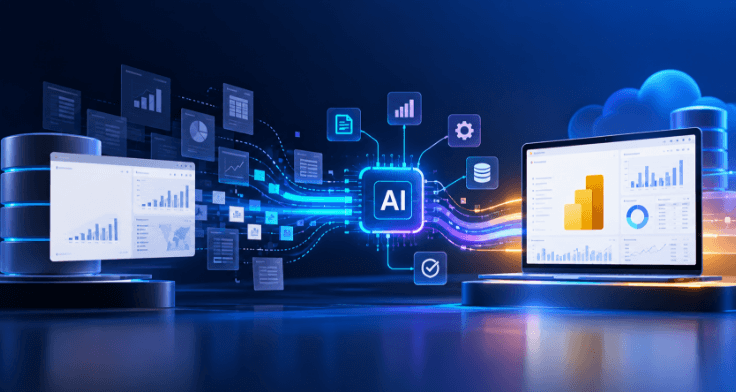
You’ve heard the pitch by now. AI agents will migrate your BI platform while you sleep. Point them at the old system, walk away, come back to a finished job.
It’s a nice story. It’s also not how any migration that matters actually gets done — and if someone’s telling you otherwise, they haven’t shipped one.
Here’s what AI-powered BI migration with AI agents actually looks like when it’s built right: agents do the heavy lifting, and a human decides at every point where a wrong call would cost you something real. This piece covers both BI and data warehouse migration — see the section below on how the same framework applies to each.
Why “Fully Autonomous” Is The Wrong Goal
Every migration project eventually runs into the same wall: thousands of reports, dashboards, tables, and data models, each with its own quirks, half-documented logic, and someone in finance who will absolutely notice if a number is off by two percent.
A model that can rewrite DAX formulas, remap a semantic layer, or restructure warehouse schemas at scale is genuinely useful. A model that does it unsupervised, at scale, across a production environment, is a liability wearing a productivity headline.
The teams getting real value out of agentic migration aren’t the ones removing humans from the loop. They’re the ones being precise about exactly where the human belongs in it. The motivations and pitfalls behind that thinking are covered in BI migration 101, and the automation side in BI migration automation.
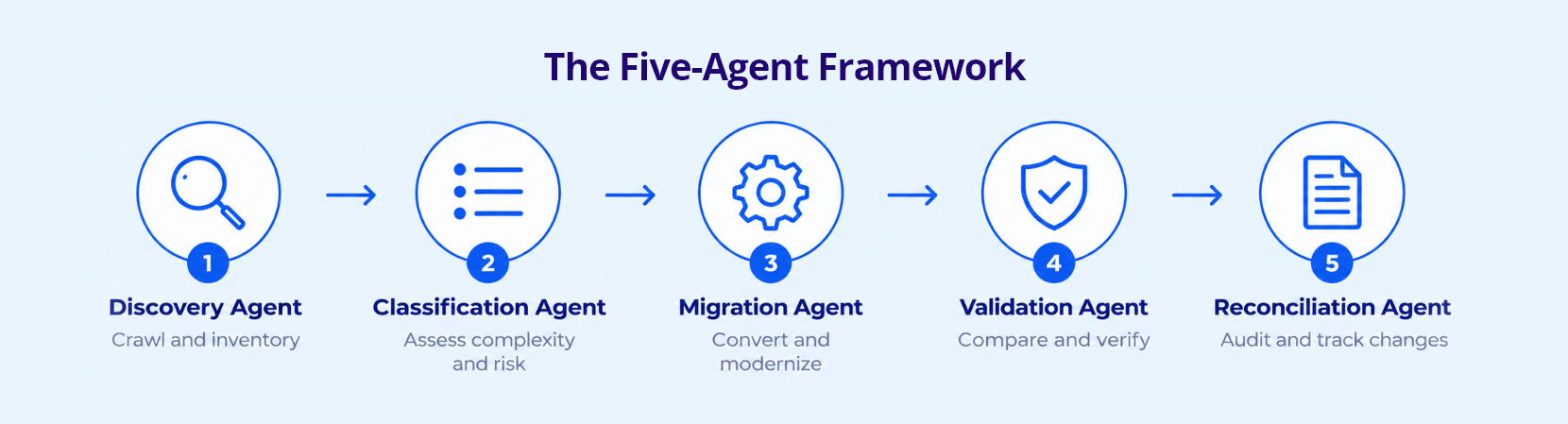
The Five-Agent Framework
Think of the migration as a relay, not a single sprint. Each agent has one job, hands off cleanly, and the whole thing is auditable end to end.
1. Discovery Agent
Crawls the source environment — every table, report, dataset, and dependency — and builds a full inventory before anything gets touched. This is the agent that answers the question every migration lead dreads: “wait, do we even know everything that’s in here?” It is also where BI debt shows up: the duplicate, orphaned, and unused reports that should never be migrated.
2. Classification Agent
Sorts what Discovery found by complexity and risk. A simple table with a clean schema is not the same problem as a fifteen-tab workbook with nested DAX measures feeding an exec dashboard, or a warehouse table with years of undocumented transformation logic layered on top. Classification decides what’s safe for full automation and what needs a closer look before it ever reaches a human reviewer.
3. Migration Agent
Does the actual conversion — rewriting queries, remapping schemas and data models, translating visualization logic into the target platform’s format, whether that’s Power BI or a Databricks-native environment underneath. This is the agent doing the work everyone pictures when they hear “AI migration.” It’s also the one that benefits least from being left alone.
4. Validation Agent
Runs the converted asset against the original, side by side. Row counts, aggregate totals, visual output, schema integrity — flags anything that doesn’t match before a human ever sees it. This agent’s entire job is catching the agent before it, which is exactly the kind of redundancy a production system needs.
5. Reconciliation Agent
Produces the audit trail — what moved, what changed, what got flagged, what a human signed off on. Six months later, when someone asks “why does this number look different than it used to,” this is the agent whose output answers that question in minutes instead of a week of archaeology.
Where Humans Actually Decide
This is the part most “AI migration” pitches skip, because it’s less exciting than “agents do everything.” It’s also the part that determines whether the migration survives contact with a real audit.
- After Classification — a human confirms the risk tiering before anything high-complexity moves to automated conversion.
- After Migration, before Validation clears it — for anything flagged high-risk, a human reviews the converted logic directly, not just the output.
- Anything Validation flags as a mismatch — goes to a human by default. No agent auto-resolves its own discrepancy.
- Final sign-off before production cutover — always human, always documented, every time.
None of this slows the migration down the way it sounds like it should. Discovery, Classification, and low-risk Migration and Validation run in parallel, unattended. Human time gets spent exclusively on the small percentage of assets that actually need it.
Addressing The “AI Makes Mistakes” Worry Directly
It’s a fair worry, and dismissing it is how migrations lose trust before they start.
Here’s the honest answer: yes, agents make mistakes. Discovery misses an edge-case dependency. Migration mistranslates a nested calculation or a schema constraint. Validation and Reconciliation exist specifically to catch and record that — not prevent it entirely, which no system genuinely can promise.
That’s a different claim than “the AI doesn’t make mistakes.” It’s a more honest one, and it’s the one that actually holds up when someone asks how you know the migrated numbers are correct.
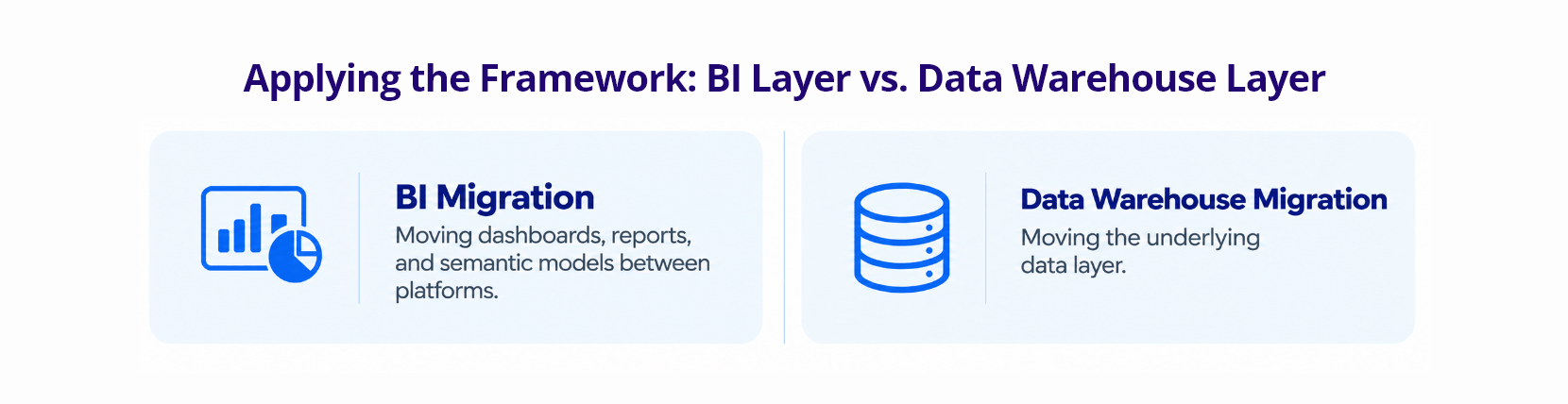
Applying The Framework: BI Layer Vs. Data Warehouse Layer
The same five agents run the same way regardless of which layer you’re migrating — but what Classification flags as high-risk, and what Validation checks, looks different depending on whether you’re moving dashboards or moving tables.
| BI migration | Data warehouse migration | |
|---|---|---|
| What moves | Dashboards, reports, and semantic models between platforms | The underlying data layer |
| Classification checks for | Calculation complexity: nested DAX measures, custom visuals, nonstandard aggregations | Schema drift, undocumented transformation logic in old ETL jobs, referential integrity across hundreds of interconnected tables |
| Validation compares | Visual output and calculated values against the original report, side by side | Row counts, aggregate totals, and schema integrity against the source warehouse |
| Closest migration type | Application migration | Storage and database migration combined |
The four standard types of data migration — storage migration, database migration, application migration, and business process migration — map cleanly onto this same five-agent structure. A BI migration is usually closest to an application migration (moving data as part of switching reporting platforms); a data warehouse migration usually combines elements of storage and database migration. Same agents, same review discipline, different checkpoints depending on which type you’re running. For the warehouse side in depth, see the legacy data warehouse to Databricks Lakehouse migration guide.
What This Looks Like On A Real Migration
A mid-size media organization migrating several hundred legacy BI reports and warehouse tables to a modern platform doesn’t need every one of those assets touched by a person. Most are structurally simple — one or two source tables, standard aggregations, no nested logic. Discovery and Classification route those straight through automated Migration and Validation, backed by the same data engineering discipline that governs the pipeline underneath — no human bottleneck.
The reports and tables that matter — the ones finance, sales, or the executive team actually depend on every week — get flagged for human review by design, not by accident. That’s where a data architect’s or BI engineer’s judgment is worth the most, and it’s the one place agentic automation doesn’t try to replace it.
Where Infocepts Fits
Infocepts pairs agentic automation with named human checkpoints, so migration speed comes from routing low-risk assets straight through rather than from removing review.
- Rated #1 Data & Analytics provider on Gartner Peer Insights, three years running, with 97.2% client retention across 20+ years of delivery.
- Migration tooling for both layers through the FLASH platform — Power BI Migration and Databricks Migrate — alongside the BI Converter accelerator.
- Documented outcomes, including an accelerated Power BI migration for a global food company and a 3X faster Teradata to Databricks migration for a North American retailer.
- Power AI Migrate, which automates 60–70% of transformation work and leaves your team the edge cases, on a governed foundation built on Databricks: see the pilot offer.
The Bottom Line
Agents migrate; experts decide. The migrations that hold up under audit are the ones that are precise about where the human belongs — after risk tiering, on high-risk logic, on every mismatch, and at final cutover — and let everything else run unattended. Land the result on one governed semantic model and Copilot and Genie can answer consistently from day one. The same discipline carries into the dashboards themselves: see designing dashboards for adoption and Connected Intelligence.
Frequently Asked Questions
See Where Your Migration Falls on the Automation Curve
Power AI Migrate automates 60-70% of transformation work and leaves your team the edge cases. Claim $25K in BI Migration Services, free: a BI estate assessment plus a pilot migration with proven cost and timeline estimates, for organizations with 300+ reports.
Recent Blogs



Infocepts