


Most teams start a Databricks migration after hitting the wall with legacy analytics: slow nightly batches, fragile ETL jobs, and BI dashboards that break every month. You know the stack has to move, but the path from on-prem data warehouse to Databricks can feel risky and unclear.
This guide walks through how large organizations actually migrate legacy analytics workloads without stalling the business. You’ll see how to phase the work, what to move first, where projects usually get stuck, and how to make Databricks the core of a modern analytics platform instead of just a new place to run old code.
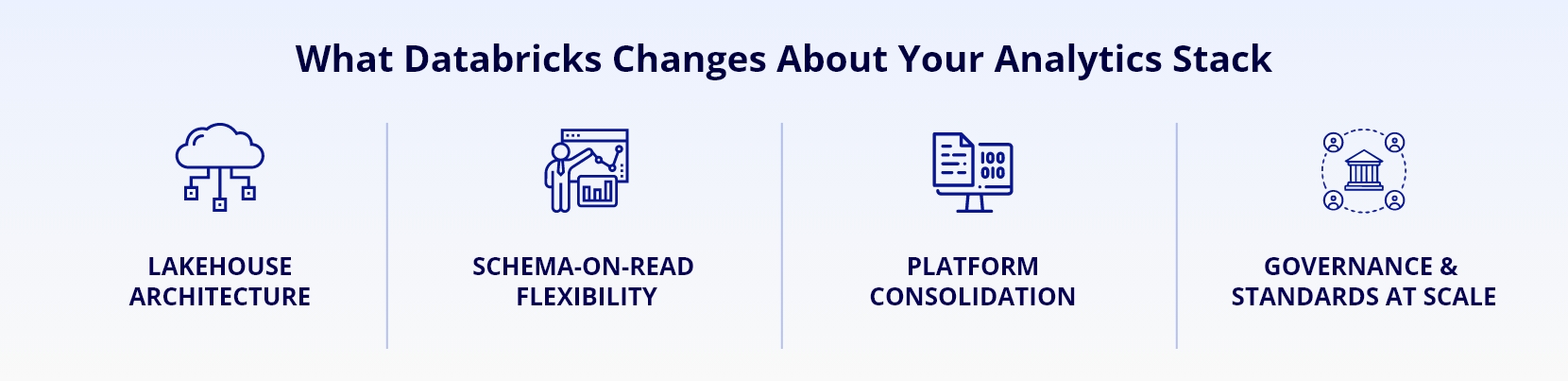
What Databricks Changes About Your Analytics Stack
Before you plan any Databricks data migration, you need to be clear on what’s different about the target, not just the technology labels. Databricks is a lakehouse platform, so storage, compute, and governance behave differently than your legacy warehouse or Hadoop cluster.
On traditional platforms, you probably forced all data into a rigid schema before anyone could query it. The Databricks lakehouse model lets you keep raw data in low-cost storage and apply structure closer to consumption, which changes how you design pipelines, schemas, and performance tuning.
Key Architectural Shifts To Expect
A Databricks implementation usually consolidates three things you might run separately today: data lake storage, ETL tools, and SQL serving. That consolidation is powerful, but it also means more teams touch the same platform, so governance, naming conventions, and environment strategy matter more than they did in your old siloed tools.
You’ll also see a stronger separation between storage (like Azure Data Lake Storage or S3) and the Databricks runtime. That separation gives you flexibility and cost control, but it demands clear standards for folder layout, file formats, table naming, and checkpointing.
Assessing Legacy Workloads Before You Move Anything
The quickest way to burn budget on cloud data migration is to lift every job you own “as is” and hope Databricks makes it faster. It might, but you’ll drag years of technical debt with you and miss most of the platform’s value.
A better path starts with a structured assessment: what you have, what’s still used, what can be retired, and what must be redesigned. This is usually the least glamorous phase, but it’s where you protect your timeline and avoid breaking downstream consumers.
Inventory And Rationalize Your Current Estate
Start with a catalog of your sources, ETL flows, data models, and BI dependencies. For each workload, capture the business owner, refresh frequency, SLAs, primary consumers, and known pain points. This is where a focused Databricks consulting engagement can accelerate things, because experienced teams know which questions uncover hidden dependencies.
As you assess, tag workloads into categories: retire, rehost with minimal change, refactor on Databricks, or rebuild. Expect at least 20–30% of jobs to fall into “retire” once you expose what’s truly unused.
Designing A Target Databricks Lakehouse Architecture
Once you know what should move, you can design a Databricks lakehouse architecture that supports both current and future analytics needs. This is where you decide how data flows from raw ingestion to curated and finally to consumption.
A simple but effective pattern is a three-zone model in storage: raw, standardized, and curated. Map each legacy data domain into this flow, then define which teams own which zones and who can promote data between them.
Governance, Security, And Environments
In larger organizations, Databricks services must align with existing security models, not replace them. Plan how you’ll use workspaces, catalogs, schemas, and Unity Catalog (if enabled) to separate development, test, and production while still allowing collaboration across data engineering, analytics, and data science.
Be explicit about role-based access, secrets management, and audit logging. These are the controls that keep regulators and internal audit comfortable with your Databricks adoption.
Choosing The Right Migration Pattern
For each domain, decide between three patterns: big-bang cutover, phased parallel run, or greenfield rebuild. Most enterprises use a hybrid approach, keeping a cautious stance for financial reporting and regulatory workloads, while moving exploratory and self-service analytics earlier to migrate to Databricks faster.
As you pick patterns, consider data freshness requirements, batch windows, number of downstream systems, and your ability to run the legacy platform for a transition period without doubling your operational burden.
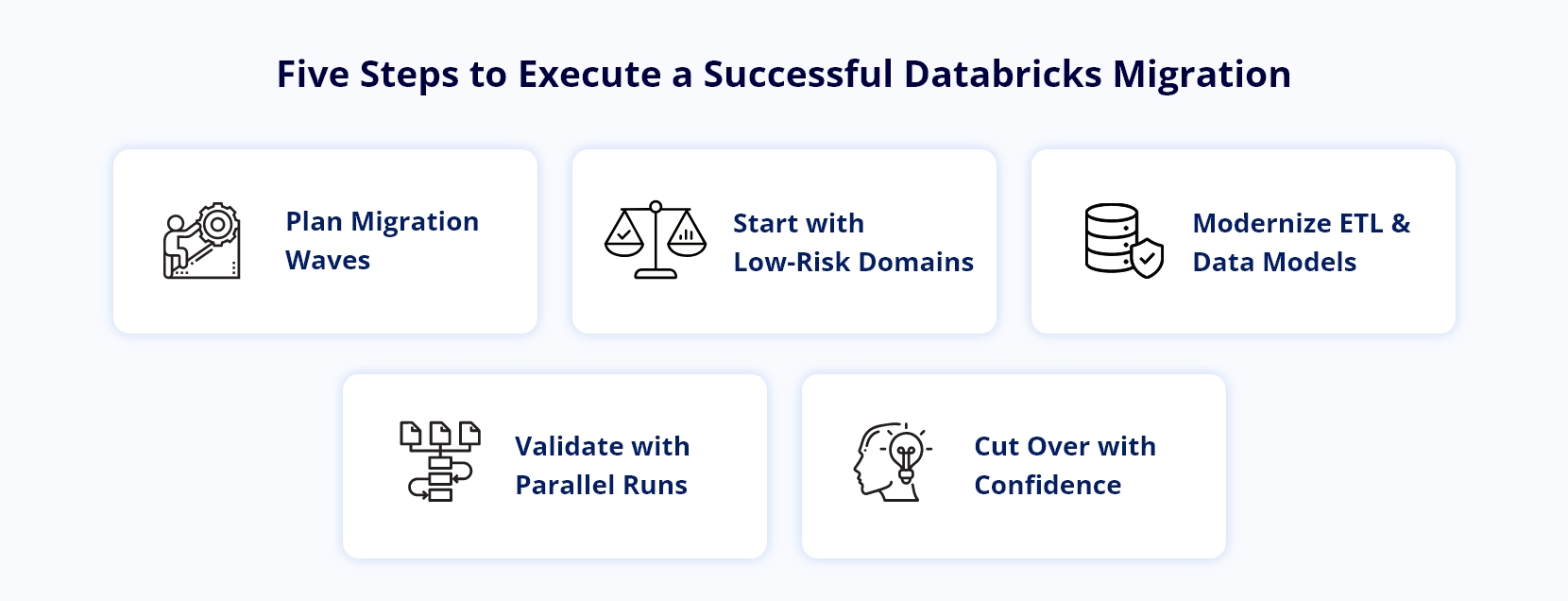
Executing Your Databricks Migration In Phases
With architecture and patterns decided, you can plan the Databricks migration waves. Treat this as a program with clear milestones, not a loose series of technical tasks. Business stakeholders should understand which reports, data marts, or models will move in each wave.
Start with a domain that matters but is not mission-critical for regulatory reporting. This gives the team room to refine patterns for orchestration, code standards, and DevOps without risking month-end close.
Refactoring ETL And Data Models
Legacy ETL jobs often mix data extraction, transformation, and business logic into single, opaque flows. When you migrate to Databricks, peel those apart where it makes sense, and re-implement transformations in notebooks or SQL scripts that follow consistent coding standards.
Use Delta Lake as the standard table format, and introduce versioned tables for key data sets so rollback and replay are straightforward. This is usually where you reduce refresh times and improve observability compared to your legacy tools.
Testing, Parallel Runs, And Cutover
No legacy data migration succeeds without disciplined testing. Build comparison suites that validate row counts, aggregates, and critical business metrics between legacy outputs and Databricks tables.
For high-risk workloads, plan a parallel run where both systems produce the same outputs for at least one or two full business cycles. Only then should you cut consumers over to the new platform and decommission the legacy path.
Modernizing Analytics Beyond Lift-And-Shift
If all you do is rehost old jobs, you miss the bigger opportunity of Databricks modernization. The platform supports streaming, machine learning, and more flexible consumption patterns than a traditional warehouse.
Once your first waves are stable in production, start modernizing slices of the stack: streaming where latency matters, standardized feature stores for data science, and parameterized data products for key domains like customer, product, or pricing.
Enabling BI And Advanced Analytics Consumers
As your model stabilizes, connect your BI tools and data science platforms directly to Databricks lakehouse tables. For BI, expose curated, governed views designed for reporting teams instead of forcing them to join low-level tables.
For data science, provide sandbox workspaces with access to approved data sets and clear paths to productionize models without rewriting everything in a separate tool chain.
Conclusion
A successful Databricks migration is less about moving code line by line and more about rethinking how your organization ingests, models, and consumes data. When you treat the work as an end-to-end modernization, you gain reliability, flexibility, and a cleaner foundation for AI and advanced analytics.
Teams that plan carefully, phase risky workloads, and invest in shared standards across engineering and analytics see the best outcomes, whether they work alone or with a partner like Infocepts. If you’re ready to move past legacy constraints and make Databricks the core of your analytics strategy, start by mapping your current estate, defining pragmatic migration waves, and setting clear success metrics for each step.
Frequently Asked Questions
Modernize Your Analytics with Databricks
Migrate faster, simplify data operations, and build an AI-ready lakehouse platform with Databricks.
Recent Blogs



The Enterprise AI & Data Transformation Partner. Delivering measurable business impact globally.
#1 on Gartner Peer Insights · 97.2% client retention