
On-shelf availability looks simple on paper: the right product, in the right place, at the right time. In real stores, with real people and messy operations, those empty spots on the shelf quietly drain margin, frustrate shoppers, and erode brand trust long before anyone runs a formal report.
Most retailers already have data coming out of their ears. What they’re missing is a reliable, real-time view of what’s actually on the shelf. That’s where practical on-shelf availability AI tactics — computer vision, phantom-inventory reconciliation, and smarter store processes — finally close the loop between planogram, inventory file, and what a shopper sees when they reach for a product. It’s the same gap OptiStoreAI is built to close for store execution more broadly.
Why On-Shelf Availability Fails In Real Stores
Out-of-stocks usually get blamed on supply chain issues, but store-level execution drives a huge share of the problem. Associates are pulled in ten directions, manual counts are error-prone, and the gap between the back room and the aisle is wider than any report suggests.
Core issues show up in the same patterns: inaccurate perpetual inventory, product in the building but not on the shelf, mis-merchandised items sitting under the wrong labels, and promotions that hit demand faster than teams can react. Paper-based checks and end-of-day reports can’t keep up with how fast conditions change on a busy Saturday.
Even well-run stores tend to focus staff on crisis response: fix the obvious empty pegs, rebuild the display that fell over, clear the pallet blocking the aisle. Without a continuous view of the full shelf, a lot of smaller but high-value gaps go unseen until the next audit.
How AI And Computer Vision See The Shelf
Retail computer vision changes the starting point from “What does the system think should be there?” to “What is physically on the shelf right now?” That single shift — from inferred status to observed reality — cuts through a lot of noise in traditional reporting.
At a basic level, cameras capture frequent images of fixtures, endcaps, and key aisles. AI models trained on product packaging, shelf tags, and planogram rules analyze each image to identify items, positions, facings, and gaps. The output isn’t just an annotated picture; it’s a structured understanding of the shelf.
That structured view supports true shelf monitoring instead of occasional checks. Instead of walking every aisle on a loop, store teams get a prioritized list of actions based on real visual evidence: which SKUs are missing, which tags are wrong, and where facings don’t match the expected plan.
From Shelf Images To Actionable Signals
The value isn’t the images themselves. It’s how AI turns those pictures into decisions that make store work faster and more accurate. Done right, the models don’t just say “something is empty” — they classify what should be in that space and how urgent the issue is.
Shelf analytics built on computer vision can, for example, distinguish between a seasonal product that’s supposed to be sold down and a core item that should never be out of stock. That distinction matters for labor planning; teams can safely ignore some gaps and focus on the ones that really risk lost sales.
Over time, repeated scans form a time series for each shelf segment: when it goes empty, how quickly it sells down, and how often merchandisers reset it correctly. That kind of pattern is nearly impossible to see with manual audits, yet it’s exactly what you need to prevent chronic issues — the pattern behind the broader stockout problem covered in how AI-powered on-shelf availability is rewriting retail’s biggest loss story.
Closing The Loop With Inventory Intelligence
Visual shelf data becomes far more powerful when it’s tied into inventory intelligence rather than living in a separate dashboard. The aim is not another silo of insights, but a closed loop between what the systems believe and what the cameras see.
Start with reconciliation. When the system says 12 units on hand but the camera sees an empty slot, AI flags a probable phantom inventory issue. That signal can trigger a cycle count, a back room search, or an automatic quantity adjustment ruleset depending on your comfort level — the same reconciliation problem the shift from buffer-based planning to AI precision works through from the inventory side.
On the flip side, if product is clearly visible in the aisle but the back-end thinks it’s out of stock, the system can correct the record, preventing missed orders and strange replenishment decisions. Those two flows together steadily shrink the gap between reality and the numbers.
Prioritizing Store Work By True Revenue Impact
Most store managers already know they can’t get to everything. The difference with AI in retail is that task lists can finally be ranked by likely sales impact instead of whoever yells the loudest on the radio.
Prioritizing Shelf Fixes: What Moves First
| Signal | Priority | Typical action | Who acts |
|---|---|---|---|
| High-velocity item, prime aisle, empty | Immediate | Restock from back room now | Floor associate |
| Phantom inventory (system says stock, shelf is empty) | Same shift | Cycle count or back room search | Inventory lead |
| Slow mover, secondary category, empty | Next scheduled pass | Log and batch with routine replenishment | Floor associate |
| Mis-merchandised item, wrong facing | Same day | Reset to planogram | Merchandiser |
| Recognition or tag error | Ongoing | Feed correction back into the model | Store ops / vendor |
By combining product margin, demand curves, and real-time on-shelf status, retail AI solutions can provide a live list of “fix these first” tasks. That kind of targeting tends to free up a surprising amount of labor. Teams stop walking full aisles “just to check” and start closing specific, high-value gaps, especially in peak hours when labor is tightest — the labor-allocation problem moving from manual audits to machine vision tackles across the whole store, not just the shelf.
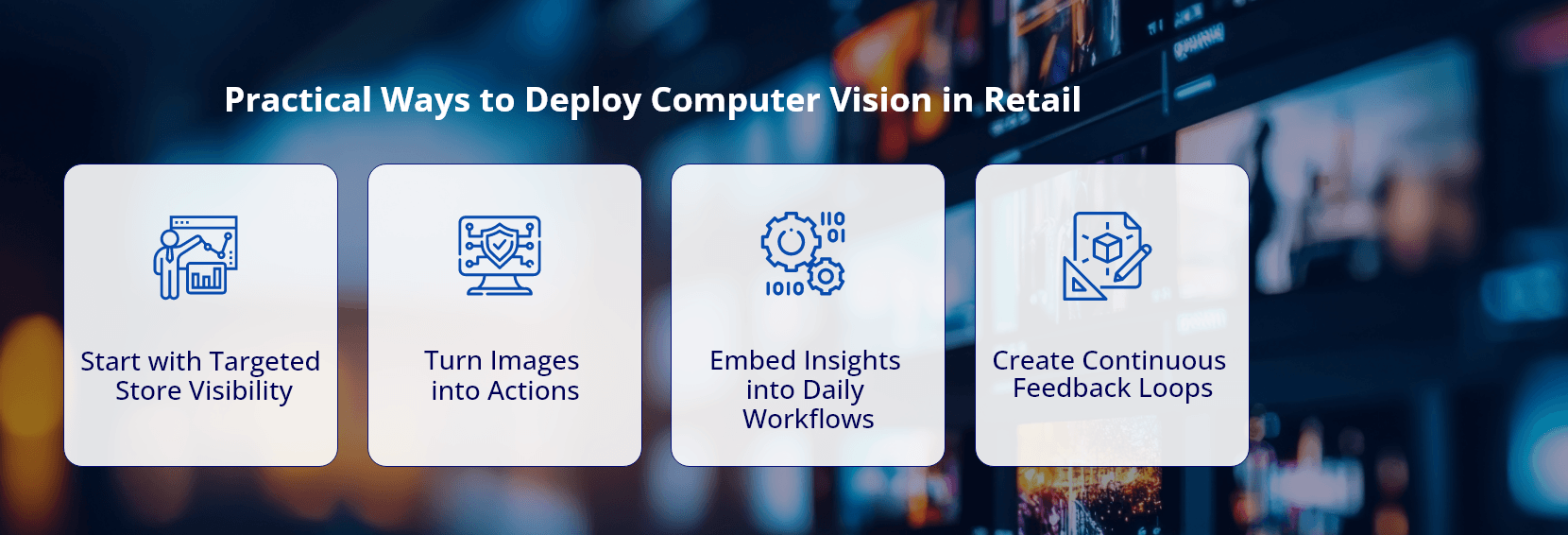
Practical Ways To Deploy Computer Vision In Retail
Most retailers don’t need a massive hardware overhaul to get started with computer vision retail initiatives. A mix of existing infrastructure and carefully chosen additions can deliver most of the benefit without an all-or-nothing bet.
Common entry paths include ceiling cameras over critical aisles, fixed units on promotional displays, or smart devices attached to trolleys used by store associates or auditors. Each approach has trade-offs in coverage, image quality, and installation complexity.
Once images are flowing, the heart of retail automation is the orchestration layer: where scans are scheduled, models are applied, and tasks are generated for store systems. That layer determines whether the project becomes a pilot that produces interesting graphs or a tool associates rely on for their daily routines.
Designing Workflows Store Teams Actually Use
The fastest way to kill an AI project is to bolt it on as “extra work.” Effective retail analytics projects fold shelf signals into the tools teams already live in: task management apps, handheld devices, or POS-adjacent screens.
Simple patterns work best. For example, an associate opening their handheld at the start of a shift might see the top five shelf issues for their zone, each tagged with estimated sales risk and back room availability. Finish those, refresh, repeat.
Clear feedback loops matter too. When a worker fixes a gap or corrects a label, that action should flow back into the AI models so they keep learning which issues are most fixable and which stem from deeper supply or catalog problems.
Data, Governance, And Change Management
AI projects live or die on data quality, model performance, and trust. That applies double when you point algorithms at the physical store, where bad signals can waste hours of scarce labor or frustrate shoppers in very visible ways.
Set hard standards for model accuracy before expanding beyond pilots. For example, define acceptable precision and recall for gap detection, misplacement detection, and tag recognition. Review samples frequently across regions to catch packaging changes and local assortments that break recognition.
Clear governance around privacy, image retention, and camera placement also matters, especially for deployments across the USA and Europe with differing regulations. Work with legal and HR up front so computer vision retail projects don’t stumble on employee or shopper concerns after rollout.
Measuring Impact Beyond Traditional Metrics
Of course you’ll track sales lift on key categories, but don’t stop there. On-shelf availability tools change how work gets done, and that change often shows up first in operational metrics.
Useful measures include how often high-priority tasks are completed within a set window, how many planogram violations are caught per week, and how frequently shelf monitoring detects phantom inventory that would otherwise persist for days. Those signals help refine staffing and replenishment models.
Over a few quarters, you should start to see cleaner execution during promotions, fewer emergency line checks, and tighter alignment between forecast, orders, and what shoppers actually find in the aisle.
Where Infocepts Fits
Infocepts builds on-shelf availability as one signal inside a connected store-execution system, not a standalone camera project bolted onto existing store processes.
- Rated #1 Data & Analytics provider on Gartner Peer Insights, three years running, with 97.2% client retention across 20+ years of delivery.
- A named platform for store execution — OptiStoreAI — built to turn shelf, labor, and inventory signals into a single prioritized task list rather than three separate systems.
- Documented outcomes in real-time in-store performance for a major North American retailer.
The Bottom Line
For retailers, on-shelf availability is no longer just a score on a report; it’s a day-to-day operational discipline that AI and computer vision finally make manageable. By grounding decisions in what’s truly on the shelf, stores can direct labor better, cut phantom inventory, and reduce those quiet, compounding losses from avoidable out-of-stocks.
Brands that invest now in practical, store-ready AI will pull ahead on shopper trust, execution, and margin. If you’re ready to see how on-shelf availability data can move from a lagging KPI to a live steering wheel for your teams, map a pilot that begins with your highest-impact categories.
Frequently Asked Questions
Turn Empty Shelves Into a Solved Problem
Close the loop between planogram, inventory, and what shoppers actually see - computer vision, phantom-inventory reconciliation, and a prioritized task list built for store teams.

Author
The Infocepts Retail COE brings together data and analytics specialists focused on helping retail and CPG organizations turn complex data into smarter decisions. From demand forecasting and inventory optimization to customer analytics and omnichannel performance, the team works at the intersection of data engineering, AI, and retail strategy.
Read Full BioRecent Blogs



Infocepts